Why Dental PMS and Imaging Software Breaks After Updates
REZ CYBER | DENTAL READINESS
A practical dental IT guide for owners and office managers who need PMS, imaging, workstations, servers, bridges, and vendor handoffs to behave when the schedule is already moving.
If a Windows update runs overnight and the next morning X-rays will not open, Dentrix is acting strange, Eaglesoft is slow, or Open Dental will not connect from one room, the problem can feel random.
It usually is not random. Dental software depends on a stack of small pieces that have to line up: workstations, servers, databases, mapped folders, image paths, permissions, device drivers, imaging bridges, antivirus tools, firewalls, supported operating systems, vendor utilities, and the exact role of each computer in the office.
Why this matters for dental practices
PMS and imaging reliability is not just a computer issue. It is a chair-flow issue. When the schedule is full, a technical dependency can quickly become a front desk problem, a hygiene problem, a treatment-room problem, a claims problem, and an office-manager problem.
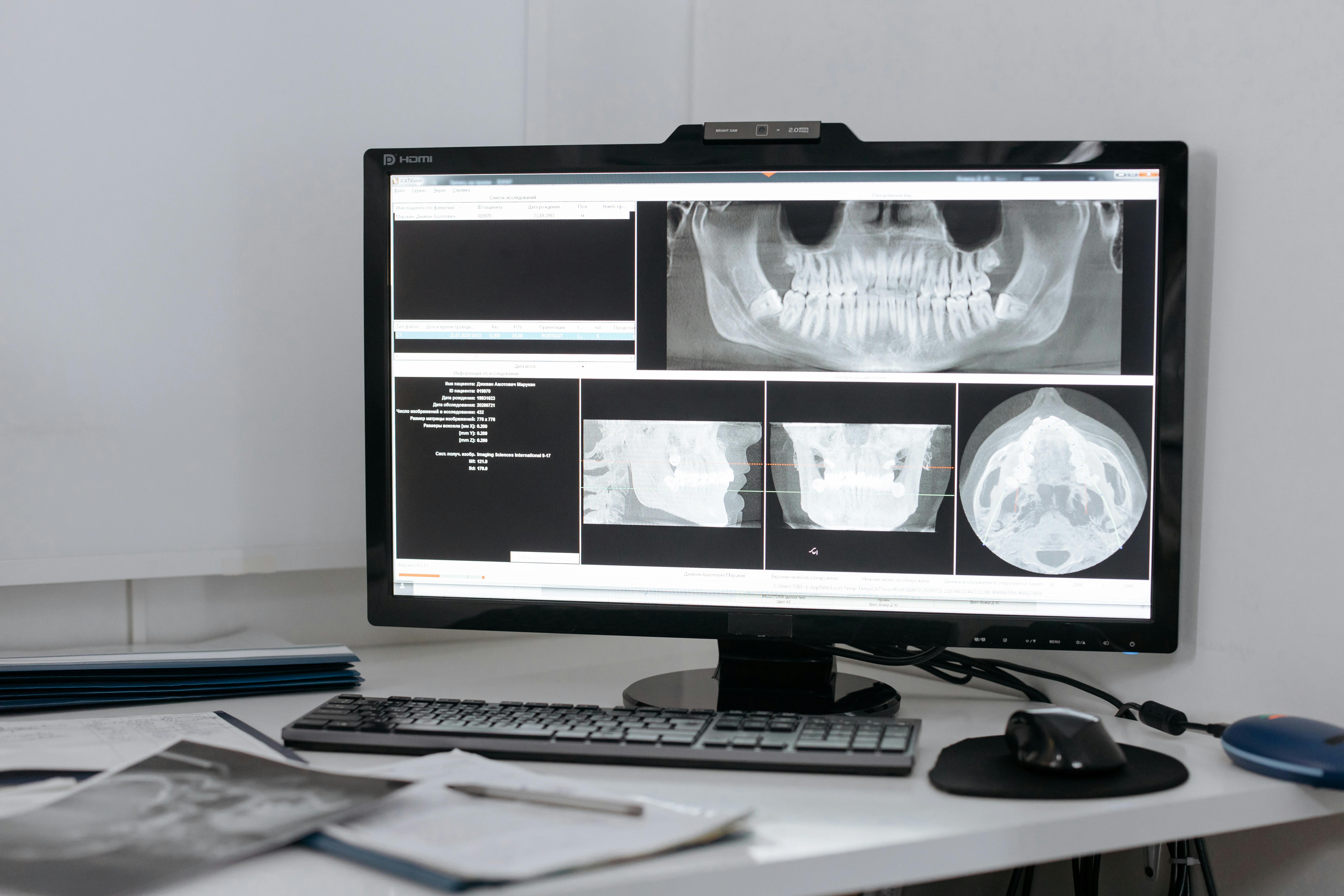
Dentrix, Eaglesoft, Open Dental, DEXIS, Schick, Patterson Imaging, scanners, sensors, and CBCT workflows should not be treated like ordinary desktop apps. They are part of the production workflow of the practice.
The dependency chain underneath the morning
The practical way to think about dental software reliability is as a dependency chain: operating system, hardware, server, database, paths, permissions, devices, bridges, vendors, and room-specific workflows.
Open Dental documents the server as the computer that runs MySQL and stores files and the database. Eaglesoft has server and workstation requirements. Dentrix Imaging has prerequisites around Windows, current patches, antivirus, Dentrix version, Smart Image, .NET, and imaging-device-specific requirements.
When something fails after maintenance, the better question is not, "Who broke it?" It is, "Which part of the chain changed?"
What vendor documentation shows
Dentrix Imaging's DEXIS bridge documentation points to per-workstation DEXIS software, acquisition devices, acquisition-agent setup, application paths, image paths, test capture, 3D volume paths, and privilege alignment.
Open Dental documentation highlights the server/database layer and program bridges to external imaging tools. Patterson's current Eaglesoft and CAESY requirements include server and workstation requirements, permissions, wired network recommendations, data-share access, Schick digital X-ray chipset considerations, firewall guidance, and VOIP influence notes.
The lesson is not that any one product is bad. The lesson is that dental software is specialized, connected, and dependent on the environment around it.
Updates are necessary, but timing matters
Security updates matter. Supported operating systems matter. Vendor compatibility matters. Microsoft says support for Windows 10 ended on October 14, 2025, and that free Windows Update software updates, technical assistance, and security fixes are no longer provided for Windows 10 after that date.
The answer is not, "Never update anything." The answer is to make updates part of a dental workflow plan: know which rooms capture images, which systems must be tested, which vendors have compatibility notes, and who gets called if PMS opens but imaging does not attach correctly.
Why imaging often becomes the pain point
When someone says, "X-rays are down," that can mean the sensor is not detected, acquisition software opens but capture fails, the PMS will not launch imaging, the image does not attach to the right patient, a 3D volume is saved in the wrong location, or one room works while another does not.
The office should know which rooms capture images, which computers only view images, where the image data lives, which bridge is used, who supports the sensor or scanner, who supports the PMS side of the connection, and who can test the workflow after maintenance.
The vendor handoff problem
Dental software support often becomes frustrating because more than one party is involved. The PMS vendor may say the issue looks like the network. The imaging vendor may say it looks like the workstation. The IT provider may say it looks like the software.
REZ Cyber does not replace Patterson, Henry Schein, Open Dental, DEXIS, Schick, or imaging vendor support. What a dental-focused IT partner can do is make the handoff cleaner by documenting workstation roles, server and database dependencies, image paths, shared folders, bridge settings, vendor contacts, maintenance windows, and escalation paths.
What better PMS and imaging management looks like
Better reliability does not require a giant enterprise process. It starts with a simple map: which PMS is running, where the database lives, which machine is the server, which rooms capture images, where images and attachments live, which vendors support each workflow, and which changes require an after-hours window.
Once that map exists, updates become less mysterious. New workstations become easier to deploy. Imaging issues become easier to isolate. Backup conversations become more realistic. Vendor calls become more productive.
Use the checklist before the next maintenance window
Before the next update window, server change, workstation replacement, imaging change, or vendor handoff, use a simple PMS and Imaging Reliability Checklist.
Embed or link the PMS and Imaging Reliability Checklist here.
Want help reviewing PMS and imaging reliability?
REZ Cyber helps dental practices organize the IT environment around PMS, imaging, updates, backups, access, and vendor coordination.
We are a Westchester-based dental-focused IT and cybersecurity partner serving practices across the New York metro area. We help practices keep chairs full and data protected by making the technology behind scheduling, imaging, claims, patient data, and vendor handoffs easier to manage.
Get a Free Dental IT Checkup →
Frequently asked questions
Do updates have to break dental software? No. Updates are necessary, and they should not be treated as the enemy. The issue is that dental offices need update planning, vendor compatibility awareness, backup checks, and post-update workflow testing.
Why does imaging break in one room but not another? One workstation may have a different driver, USB port, bridge configuration, image path, permission, or device setup than another room.
Is Dentrix, Eaglesoft, or Open Dental the problem? Not necessarily. The problem may be the PMS, but it may also be the server, database, workstation, image path, bridge, driver, permission, network, firewall, or vendor tool around the PMS.
Does REZ Cyber replace dental software vendor support? No. A dental-focused IT partner should coordinate the environment around vendor systems, not replace the vendors who support their products.
Bottom line
Dental software problems after updates are often dependency problems.
The practical goal is not to blame Windows, Dentrix, Eaglesoft, Open Dental, DEXIS, Schick, or any one vendor. The goal is to know how the systems fit together before the first patient is waiting.
Good dental IT management should make the morning less mysterious, the vendor call more productive, and the practice less dependent on memory when the schedule is moving.
REZ Cyber is a Westchester-based, dental-focused cybersecurity and IT partner serving practices across the New York metro area. We help dental practices keep chairs full and data protected. We help dental practices keep chairs full and data protected by making the IT environment around PMS, imaging, backups, access, and vendor coordination easier to understand and manage.
